Self-Hosting AI for Code: The $0/Month Developer Stack
You can run AI code completion, chat, and embeddings-based search on your own machine for $0/month. The stack is Ollama + Continue.dev + Open WebUI. Total setup time is about 20 minutes. I will walk through the exact commands, the hardware you actually need, and the cost math that shows when this makes sense.
The Cost Problem with AI Coding APIs#
A typical developer using Claude or GPT-4 for coding burns through 2-5 million tokens per day. At current API rates, that is $6-30/day or $180-900/month. Copilot Pro costs $39/month. Claude Pro is $20/month but hits rate limits within minutes of heavy use.
Self-hosting flips the cost model. You pay once for hardware (or use what you already have), then run unlimited tokens forever. The tradeoff is quality. Local models are not as good as Claude Opus or GPT-4.1 for complex reasoning. But for code completion, quick refactors, and doc lookups, a 7B model running locally is fast and good enough.
Here is the honest math.
Monthly cost at 3M tokens/day
The self-hosted number assumes a used RTX 3090 ($500) amortized over 5 years plus electricity. Your actual hardware cost might be $0 if you already own a GPU.
The Stack: What You Need#
Three tools. Each one is open source and installs in one command.
- Ollama runs models locally. It handles downloading, quantization, and serving behind an OpenAI-compatible API on port 11434.
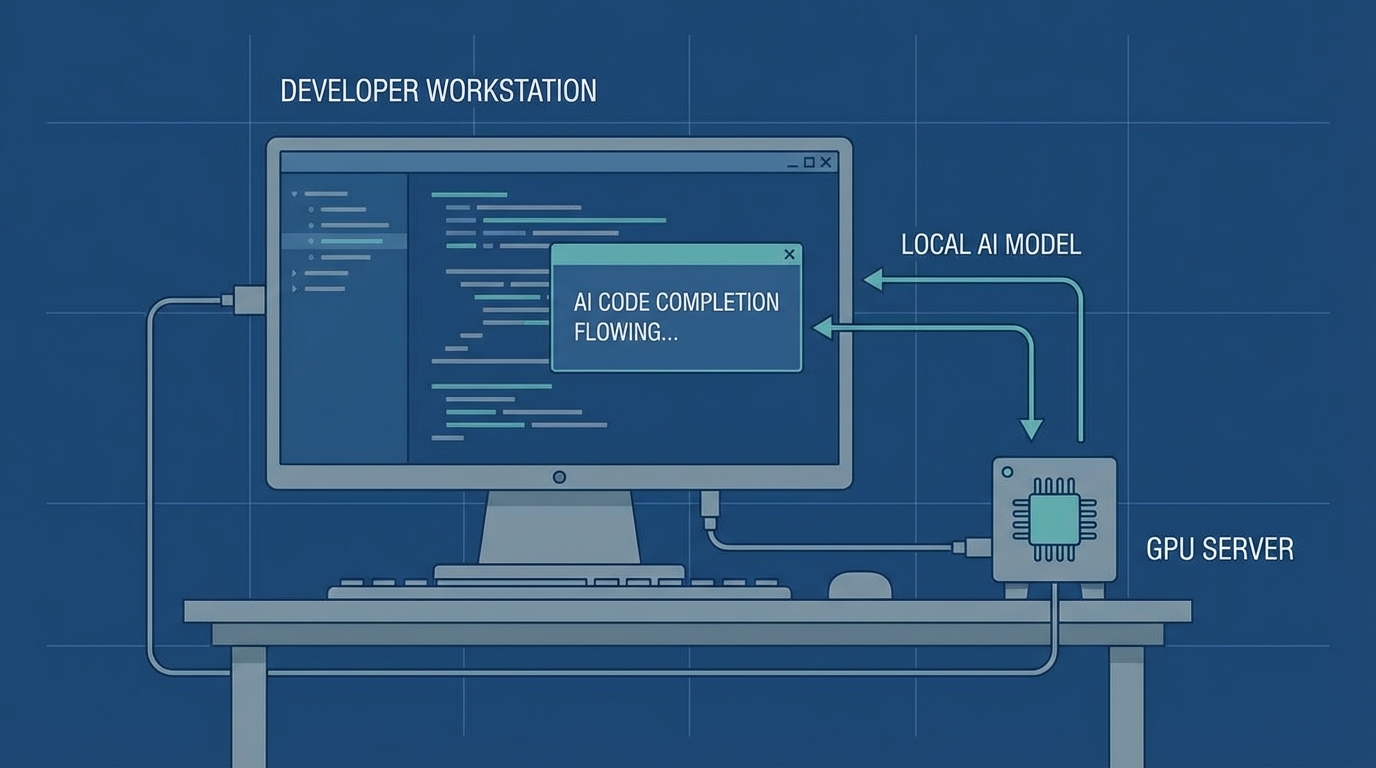
- Continue.dev is a VS Code extension that connects to Ollama for inline code completion, chat, and refactoring. Think Copilot but pointing at localhost.
- Open WebUI gives you a ChatGPT-style interface for longer conversations, document uploads, and RAG. It connects to Ollama out of the box.
You do not need all three. Ollama alone gets you a working local model. Continue adds IDE integration. Open WebUI adds a browser UI for everything else.
Hardware Requirements (Honest Numbers)#
The GPU decides what models you can run. CPU-only inference works but is 10-20x slower.
Hardware tiers for local AI coding
Apple Silicon users: M2 Pro with 16GB unified memory handles 7-14B models well. M3 Max with 36GB+ can run 26-34B models using MLX.
Setup in 10 Minutes#
Step 1: Install Ollama and pull a model#
# macOS / Linux
curl -fsSL https://ollama.com/install.sh | sh

# Windows
winget install Ollama.Ollama

# Pull a coding model (pick one)
ollama pull qwen2.5-coder:7b      # 4.4GB, great balance
ollama pull deepseek-coder-v2:16b  # 8.9GB, stronger reasoning
ollama pull gemma4:26b-a4b         # 14GB, best if you have 16GB VRAM
Test it works:
ollama run qwen2.5-coder:7b "Write a Python function that finds duplicate files by hash"
Step 2: Add Continue.dev to VS Code#
Install the Continue extension from the VS Code marketplace. Then edit ~/.continue/config.yaml:
models:
  - name: Ollama
    provider: ollama
    model: qwen2.5-coder:7b
    apiBase: http://localhost:11434

tabAutocompleteModel:
  provider: ollama
  model: qwen2.5-coder:7b
  apiBase: http://localhost:11434
Restart VS Code. You now have tab completions and a chat panel powered by your local model. No API key needed.
Step 3: Add Open WebUI (optional)#
pip install open-webui
open-webui serve
Open http://localhost:3000. It detects Ollama automatically. Upload PDFs, paste codebases, or just chat. The RAG pipeline is built in.
Adding Local Embeddings for Code Search#
Open WebUI includes a RAG pipeline, but you can also run embeddings standalone. This is useful if you want to search your codebase semantically.
# Pull an embedding model
ollama pull nomic-embed-text

# Generate embeddings via API
curl http://localhost:11434/api/embeddings -d '{
  "model": "nomic-embed-text",
  "prompt": "function that handles user authentication"
}'
Pair this with a local vector database like ChromaDB and you get codebase-aware search without sending your code anywhere. BGE-M3 is another strong option if you need multilingual support.
When NOT to Self-Host#
Self-hosting is not always the right call. Skip it if:
- You process under 1M tokens/day. Cloud APIs cost $1-5/month at that volume. Not worth the setup.
- You need frontier-level reasoning. Claude Opus and GPT-4.1 still beat every local model on complex multi-file refactors and architectural decisions.
- You do not own a GPU. CPU inference is too slow for real-time code completion. You will hate it.
- Your team needs shared context. Cloud APIs handle multi-user access natively. Self-hosted setups need extra infrastructure.
The sweet spot is a hybrid approach. Run a local model for completions and quick questions (90% of interactions). Route complex tasks to a cloud API. If you are already tracking your token usage, you know which tasks actually need the expensive model.
The $0/Month Reality Check#
The "$0/month" claim has caveats. You need a GPU (or patience with CPU). Electricity costs something. And you spend time on setup that a managed service handles for you.
But the economics are real. A used RTX 3090 pays for itself in 2-3 months if you are currently spending $200+/month on AI coding tools. After that, every token is free.
The models are good enough now. Qwen2.5-Coder:7b scores within 5% of GPT-3.5 on HumanEval. Gemma 4's 26B MoE ranks #6 among all open models. And Ollama has hit 52 million monthly downloads. This is not experimental anymore.
If you have been running Claude Code with local models, this stack is the natural next step. Same idea, broader coverage.
Sources: Ollama, Continue.dev Docs, Open WebUI. The cost figures above are my own math from public API rates and used-GPU prices, not a vendor study.