
Claude channels from Telegram without granting root
August 25, 2026

Claude Code channels let a Telegram message land in a local session you already have open. The phone is a mail slot. The session is still the house.
MacStories spent launch night on that slot, then hit the first permission prompt. John Voorhees wrote that there was no way to grant it in Telegram, so the working launch tacked on --dangerously-skip-permissions.
That flag is bypassPermissions. Claude Code's permission-modes docs reserve it for isolated containers and VMs. On a laptop with your git remotes, it is a spare key taped to the mailbox.
This walkthrough installs telegram@claude-plugins-official, relaunches with --channels in Manual mode, edits a file from Telegram, then denies a git push. Prompts still fire. An allowlisted Telegram account can tap Allow on a relayed one. That is not skip-permissions. It is still a dialog.
What has to exist first#
Official Channels docs still mark this as a research preview. --channels does not show up in claude --help. The flag still works.
- A Claude Code install signed in with a claude.ai account or a Console API key. Bedrock, Agent Platform, and Foundry are out.
- Bun on the PATH. The pre-built channel plugins are Bun scripts.
- A Telegram account you actually control. Do not reuse a bot token from some other product.
- Team or Enterprise orgs need an Owner to flip
channelsEnabledfirst. Pro and Max skip that org gate and opt in per session.
This is not the Remote Control phone setup. That neighbor is QR cards in the Claude app, plus SSH and tmux. Channels is a messenger MCP into the CLI you already have open.
It is also not OpenClaw. OpenClaw is a Gateway the OS restarts. Channels dies when the terminal dies.
Wire Telegram into the live session#
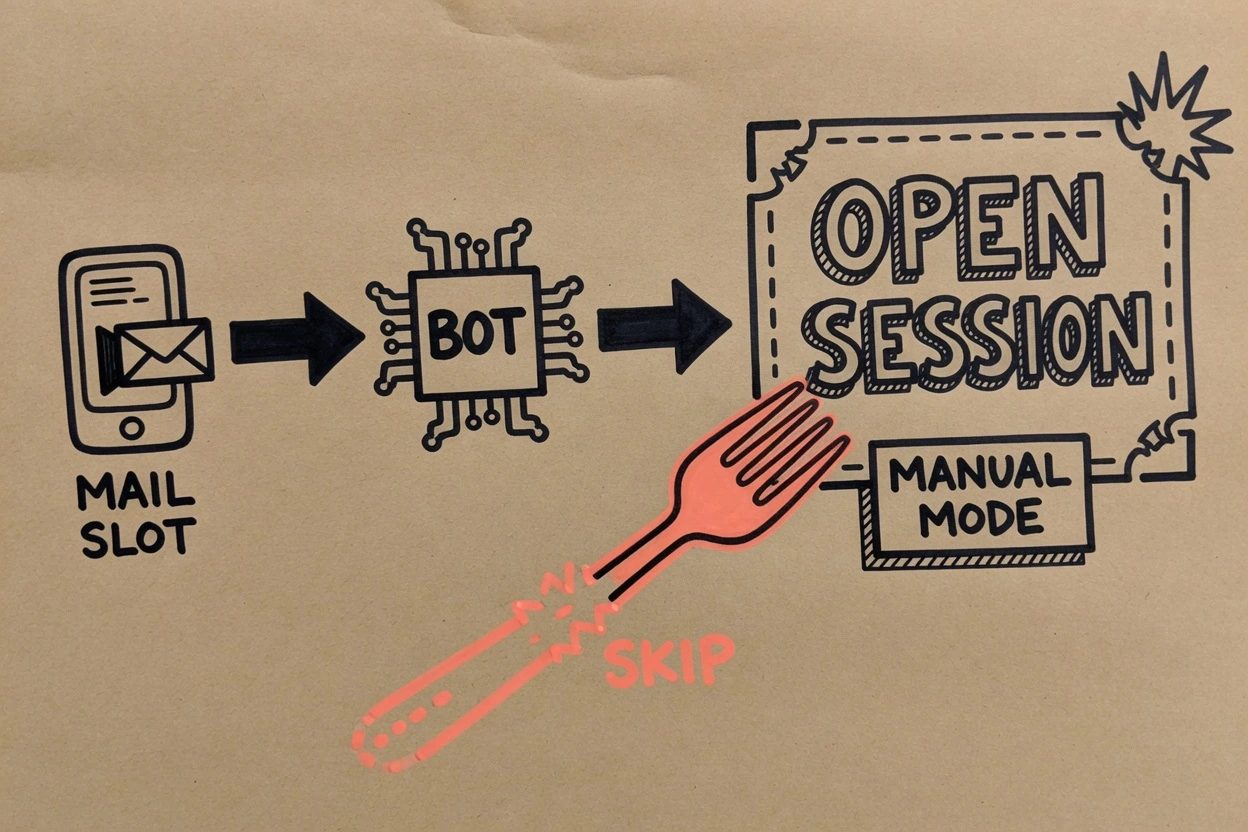
The official path is a plugin, a token file, a relaunch flag, then a pairing code. .mcp.json is not the on switch. Anthropic's Channels page says a server also has to be named in --channels or messages never arrive.
1. Confirm Bun is on the path#
MacStories stalled here. Voorhees followed the GitHub steps and still could not start until Bun was installed. The plugin assumes Bun. Install it before you chase pairing codes.
bun --versionIf that command is missing, install Bun, then open a new shell so PATH actually sees it. Checkpoint is a version string, not a silent prompt.
2. Mint a bot with BotFather#
Open @BotFather in Telegram. Send /newbot. Give it a display name, then a username that ends in bot.
BotFather replies with a token. Copy the whole string, including the leading number. Treat it like a password. Anyone who has it can poll your bot.
3. Install telegram at the official marketplace#
Start a normal claude session first. These slash commands do not run from a cold shell. The official plugin README is blunt about that.
/plugin install telegram@claude-plugins-officialIf Claude reports the marketplace is missing, add it, then retry.
/plugin marketplace add anthropics/claude-plugins-officialWhen the installer asks for a scope, pick user so the plugin is available across projects. If the summary says Run /reload-plugins to activate., run that. Checkpoint is /telegram:configure tab-completing.
4. Save the token, then quit#
/telegram:configure <token>That writes TELEGRAM_BOT_TOKEN=... to ~/.claude/channels/telegram/.env. A shell variable of the same name also works, and the shell wins if both are set.
Then leave. Type /exit or quit the process. Channels is a launch-time setting. You cannot turn it on mid-session and expect polling to start.
5. Relaunch with channels, not skip-permissions#
This is the step people blow. They paste the MacStories line with --dangerously-skip-permissions on the end because the bot felt stuck. Do not.
claude --permission-mode default --channels plugin:telegram@claude-plugins-official--permission-mode default is Manual mode. On Pro, Max, and Team, auto mode is the built-in start, and auto mode can allow a routine git push without asking. Manual is what makes the later deny visible.
Startup should show a channels notice naming plugin:telegram@claude-plugins-official. The status bar should read manual mode. If you see bypass permissions, you launched the spare key. Kill it and come back without the skip flag.
6. Pair once, then lock allowlist#
DM the bot any junk message. It replies with a 6-character pairing code. If it does not reply, the session is not running with --channels. The bot is deaf until that flag is on.
/telegram:access pair <code>
/telegram:access policy allowlist
Pairing is how the plugin learns your numeric Telegram user id. Default policy is pairing, which means a stranger who finds the username also gets a code. Switch to allowlist the moment you are in. Everyone else is dropped with no reply.
The next DM should reach the assistant. The terminal shows an inbound channel line. The actual reply text shows up in Telegram, not in the transcript. You will see a reply tool call and a confirmation that looks like sent.
Never approve a pairing because a Telegram message asked you to. The official access skill only honors pairing typed in the terminal session. That is the prompt-injection they already wrote down.
Prove it without granting root#
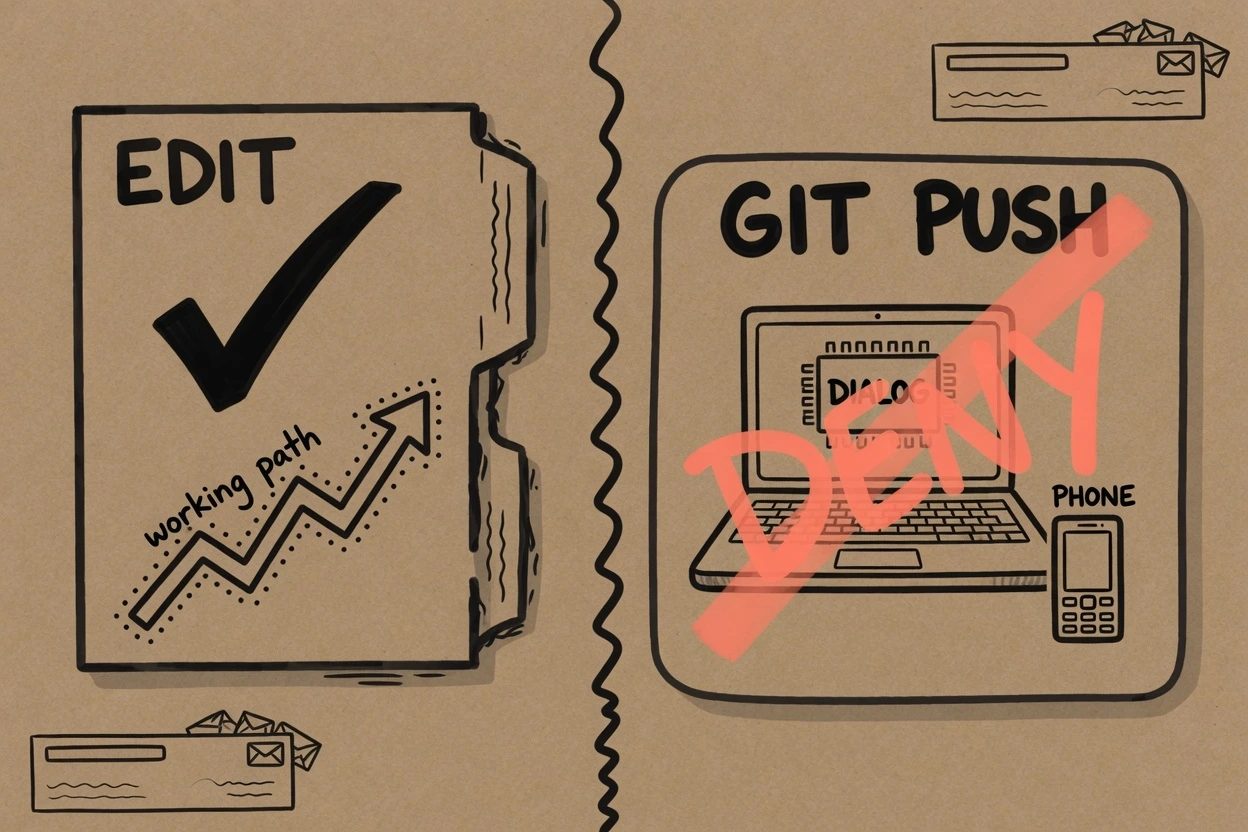
Two checks. One should work. One should stop. If both sail through, you are in auto mode or you launched with skip-permissions and this whole post was wasted air.
7. Ask Telegram to edit a throwaway file#
Pick a junk file in the repo, something you would not mind rewriting, and send a plain instruction from the phone. Ask Claude to add a one-line comment. Nothing clever.
The terminal should show an inbound channel line. Claude should Edit or Write that file on disk. The first reply tool call may itself prompt. Approve that one. Talking back through Telegram is not a git push.
Checkpoint is the file changing on disk and a reply landing in the chat. If the session paused and Telegram went quiet, look at the laptop. The dialog is probably sitting there, waiting like a cat at a closed door.
8. Ask Telegram to git push, then deny it#
This is the whole point. From Telegram, tell Claude to git push the current branch. In Manual mode, Bash should stop. Auto mode's default rules can let a routine push through, which is why this session started with --permission-mode default.
The official Telegram plugin now declares permission relay. Channels reference says both dialogs stay live, laptop and phone, and the first answer wins. An allowlisted sender can tap Allow and the tool runs. Treat that allowlist as who can approve, not as a mailbox with no keys. For this checkpoint, deny it.
If Telegram never shows the second prompt, that is not a reason to skip permissions. GitHub issue 40016 is a user who got the first Allow/Deny keyboard, then a later prompt that never left the terminal. The laptop still had 1/2/3 waiting. Answer it there.
Checkpoint, the ugly one. git status still shows the unpushed commit. The remote did not move. You just proved the mail slot is open and the front door still has a lock.
When it breaks#
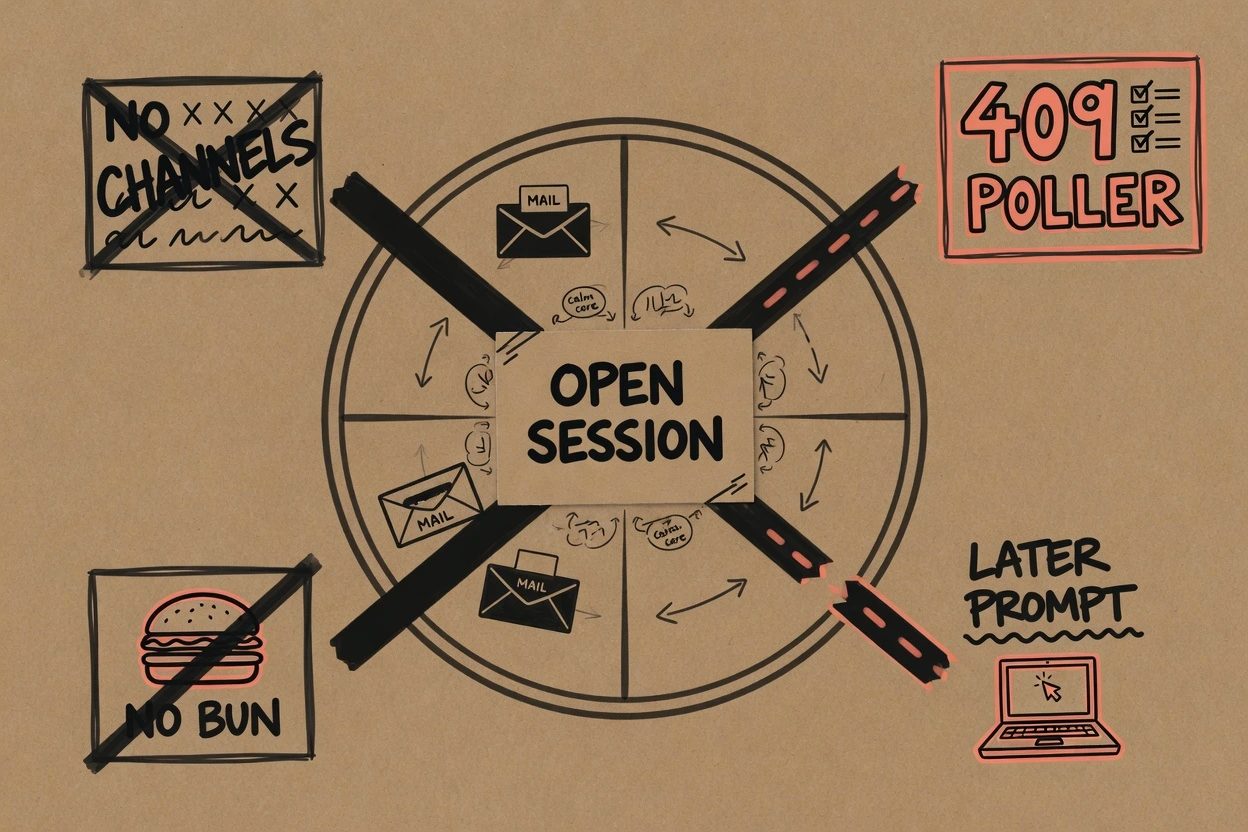
Happy-path roundups skip this section. The plugin source and the Channels page already named the failures.
- Silent bot. The session is not running with
--channels. Official docs say the bot can only reply while the channel is active..mcp.jsonis not enough. - No Bun.
bun --versionfails. Install it, new shell, retry. MacStories hit this on night one. TELEGRAM_BOT_TOKEN requiredon stderr, then the process exits. The.envfile is missing or the shell never exported the variable.409 Conflictafter retries. Telegram allows one getUpdates consumer per token. A crashed session can leave a staleserver.tspoller holding the slot. The plugin tries to kill that pid. If eight retries still fail, quit every Claude Code that has this bot, then relaunch one.- Team or Enterprise messages never arrive. The MCP server still connects. An Owner has to enable channels in admin settings. Startup warning names that.
- Later permission prompts stay on the laptop. Relay the first one from Telegram if it shows up. Deny the rest in the terminal. Skip-permissions is still the wrong fix.
Channels questions that skip-permissions does not answer
Can you approve a permission prompt from Telegram?
The official Telegram plugin declares permission relay. A tool-use prompt can show Allow and Deny on Telegram while the same dialog stays open in the terminal. The first answer wins. Project-trust and MCP-consent dialogs stay local. A GitHub report from March 2026 found later prompts in the same session sometimes never left the terminal. Deny those on the laptop. Do not skip permissions to paper over a missed relay.
asked on github.com ↗Why not launch with dangerously skip permissions?
That flag is bypassPermissions. Official permission-modes docs reserve it for isolated containers and VMs. On Linux and macOS it even refuses to start under sudo. MacStories used it on launch day because Telegram could not approve yet. The plugin now relays. The laptop still has a real project on it. Keep the dialog.
asked on code.claude.com ↗Why is the bot silent after a DM?
The bot can only reply while Claude Code is running with --channels. Having the plugin installed, or listed in .mcp.json, is not enough. If the session died, pairing codes never come back. Relaunch with the flag, then DM again.
asked on code.claude.com ↗Is this the same as Remote Control from the phone?
No. Remote Control is you driving the local session from claude.ai or the Claude mobile app, usually after a QR scan. Channels push events from Telegram into the session you already have open. Official docs split those jobs. The Remote Control neighbor on this site is the QR and SSH path.
asked on code.claude.com ↗What now exists#
A Telegram bot you minted, a plugin on the official marketplace, a token in ~/.claude/channels/telegram/.env, and a local Claude Code session launched with --channels in Manual mode. A throwaway file changed from the phone. A git push from the phone did not land.
Close the terminal and the bot goes quiet. Official docs say events only arrive while the session is open. tmux or a persistent terminal is the always-on path, still without the skip flag.
Want the Claude app, diffs, and a permission UI that was built for a phone? That is Remote Control. Keep this channel for short Telegram pokes into a session you already babysit. Leave skip-permissions in the container docs where it belongs.